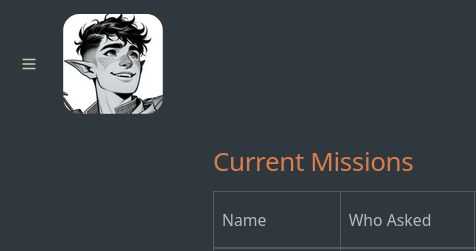
Change the Site Name in the Header to an Image
Jentu on the Digital Garden discord was looking for a way to replace the site name at the top-left corner with an SVG icon instead; here’s how I was able to get it to work.
WARNING: Out-of-Band Patch
This is a patch to template-managed code, and will be overwritten when the plugin updates.
Table of Contents
- Getting Started
- 1. Add the desired image to the
/imgdirectory in your DG repo - 2. Update the relevant scripts
Getting Started
Theoretically, you can do this with any file, not just an SVG; however, SVGs tend to scale a better than other formats, and if you already created an SVG for your favicon, you have one readily available.
1. Add the desired image to the /img directory in your DG repo
I tried to have it just use the favicon where it is, but it wasn’t getting passed through in the build; however, the /img folder does get passed through, so you can safely add images here.
2. Update the relevant scripts
There are three Nunjucks scripts that manage the formatting for different parts of the site; each script is described below, with Before and After sections of code which need to be updated.
Below are examples where I’ve copied favicon.svg into the /img folder in my Digital Garden repo, with 1 line of text script on top and bottom. Since we’re inserting elements, I want to show where exactly everything goes.
There should be screenshots of the before and after, but something with the site formatting is preventing them from appearing. We are troubleshooting this, and any insight is appreciated.
filetree.njk
src/site/_includes/components/filetree.njk
Icon for when the filetree is being displayed (either in full-screen or as a pop-out). Changes begin at line 39.
Before
{% endfor %}
 <a href="/" style="text-decoration: none;">
	   <h1 style="text-align:center;">{{meta.siteName}}</h1>
 </a>
 {% for imp in dynamics.filetree.afterTitle %}
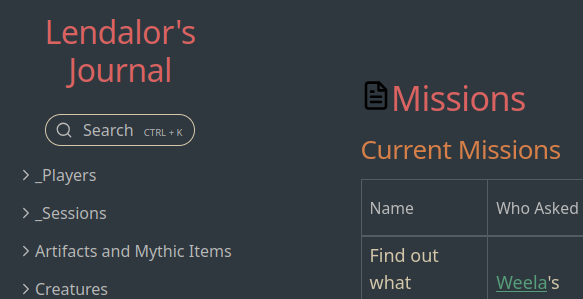
After
{% endfor %}
	<div style="display: flex; justify-content: center;">
		<a href="/" style="text-decoration: none;">
			<img src='/img/favicon.svg'
				alt="{{meta.siteName}}"
				style="max-width: 100%; width: 180px; height: auto; margin: 15px !important; display: block;">
		</a>
	</div>
 {% for imp in dynamics.filetree.afterTitle %}

navbar.njk
src/site/_includes/components/navbar.njk
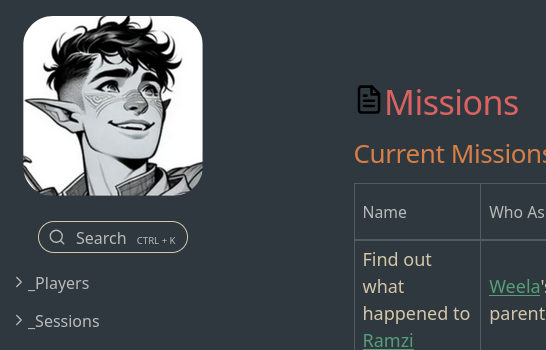
Icon for when filetree is disabled entirely in the Digital Garden settings. The changes begin at line 3.
Before
<div class="navbar-inner">
	<a href="/" style="text-decoration: none;">
		<h1 style="margin: 15px !important;"></h1>
	</a>
</div>
I don’t have a Before screenshot here because I forgot to test ahead of time and I don’t use it anyway, but I trust you to figure out how it looks normally.
After
<div class="navbar-inner">
	<a href="/" style="text-decoration: none;">
		<img src='/img/favicon.svg'
			alt=""
			style="max-height: 100%; height: 100px; width: auto; margin: 15px !important; display: block;">
	</a>
</div>
filetreeNavbar.njk
src/site/_includes/components/filetreeNavbar.njk
Icon for when the filetree is collapsed. The changes begin at line 7.
Before
{% endfor %}
<a href="/" style="text-decoration: none;">
	<h1 style="margin: 15px !important;">{{meta.siteName}}</h1>
</a>
{% for imp in dynamics.filetree.afterTitle %}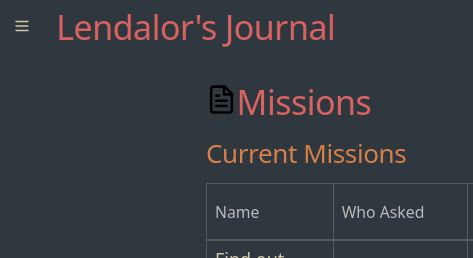
After
{% endfor %}
	<a href="/" style="text-decoration: none;">
		<img src='/img/favicon.svg'
			alt="{{meta.siteName}}"
			style="max-height: 100%; height: 100px; width: auto; margin: 15px !important; display: block;">
	</a>
{% for imp in dynamics.filetree.afterTitle %}