
Broken Header Links
By default, header links (like [[#header]]) don’t render in Digital Gardens. They’re often used in DIY Table of Contents, and are much faster than typing out the whole file name every time you want to reference a specific header.
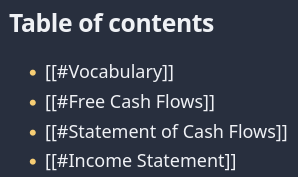
Fortunately, the fix is relatively simple, and there’s already a Pull Request you can integrate into your own garden.
Table of Contents
How to Fix Broken Header Links
This repair comes from a pull request by foxblock (who also incidentally has a template for using the Digital Garden plugin with GitHub Pages), and all credit goes to them. Their PR also includes changes to how code blocks interact with titles and fixing links with an & in the title. Below are just the steps to fix header links and and & because they are part of the same commit.
This is an out-of-band patch, and may be reverted when an update is applied. We recommend keeping a record of out-of-band patches to check and restore changes after an update.
Step 1. Update eleventy.js
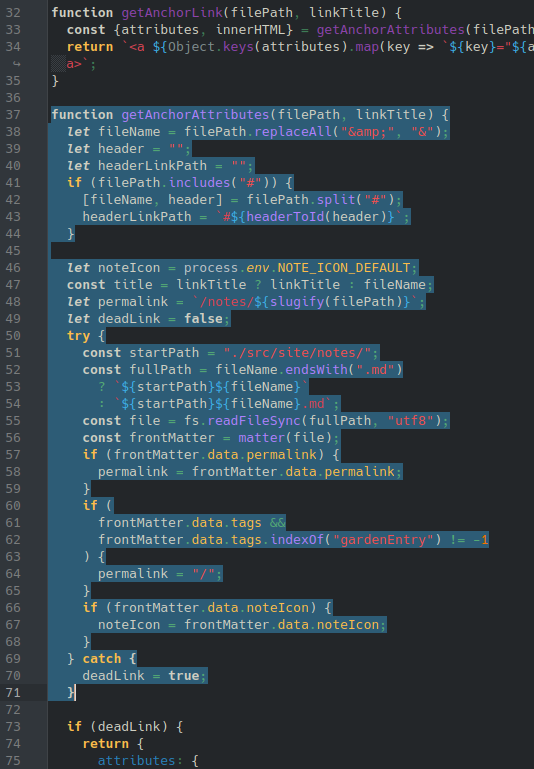
Replace the lines 37-71 in the eleventy.js (screenshotted above) at the root of your Digital Garden repo with the following code:
function getAnchorAttributes(filePath, linkTitle) {
  let fileName = filePath.replaceAll("&", "&");
  let header = "";
  let headerLinkPath = "";
  if (fileName.includes("#")) {
    [fileName, header] = fileName.split("#");
    headerLinkPath = `#${headerToId(header)}`;
  }

  let noteIcon = process.env.NOTE_ICON_DEFAULT;
  const title = linkTitle ? linkTitle : filePath;
  let permalink = "";
  let deadLink = false;
  // if fileName is empty we are only jumping to heading in this file
  // NOTE: will not load the correct noteIcon in that case, since we don't have access to the filename
  if (fileName.length > 0)
  {
    try {
      permalink = `/notes/${slugify(fileName)}`;
      const startPath = "./src/site/notes/";
      const fullPath = fileName.endsWith(".md")
        ? `${startPath}${fileName}`
        : `${startPath}${fileName}.md`;
      const file = fs.readFileSync(fullPath, "utf8");
      const frontMatter = matter(file);
      if (frontMatter.data.permalink) {
        permalink = frontMatter.data.permalink;
      }
      const isGardenHome = frontMatter.data.tags && frontMatter.data.tags.indexOf("gardenEntry") != -1;
      if (isGardenHome) {
        permalink = "/";
      }
      if (frontMatter.data.noteIcon) {
        noteIcon = frontMatter.data.noteIcon;
      }
    } catch (error) {
      // NOTE (JS, 28.05.25): This will generate a few false-positives for any
      // text looking like a link inside a code-block. The link will not actually be generated though.
      // the link filter is called 2x by 11ty: once with just the raw text (no markdown) and once converted to html
      // (the first parse generates the false-positive message, but does not seem to matter)
      console.log(`DeadLink detection! filePath: ${filePath}, linkTitle: ${linkTitle}, error: ${error.message}`);
      deadLink = true;
    }
  }
Step 2. Formatting and Results
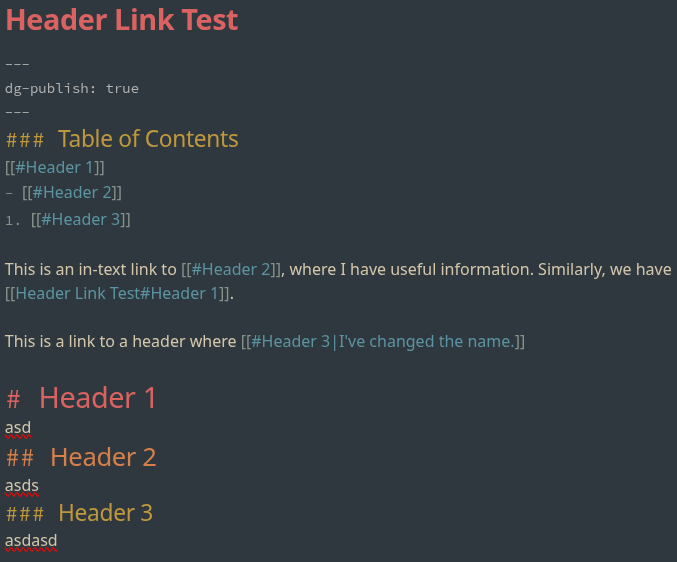
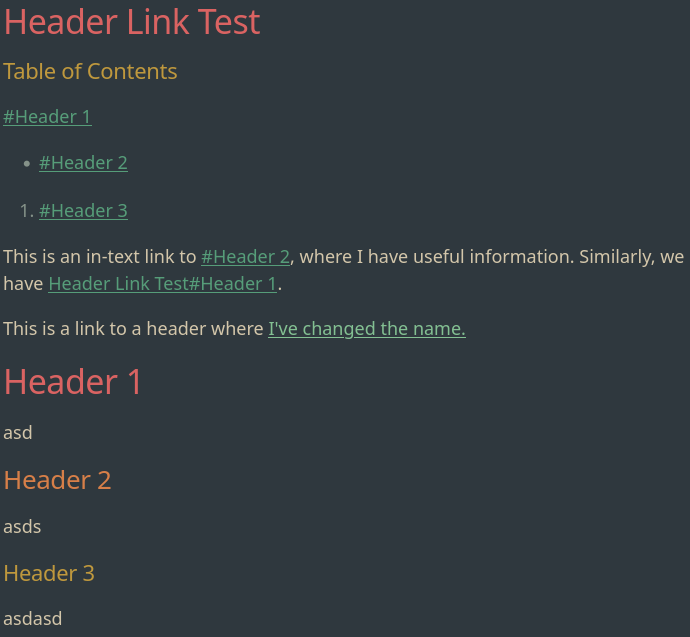
The final result includes a # before the header, much like when linking to the header in another document. If you don’t like this you can change the name of the link with markdown to cover it up.
Below is a screenshot of the source page in Obsidian, along with the resulting rendered website.
Linked Issues and Pull Requests
All bugs and fixes should be linked to existing Pull Requests or Issues with the template or the plugin.