
Floating Buttons and Automatic Theme Switcher
This relatively simple component requires two scripts; a theme-switcher Nunjucks script in the src/site/_includes/components/user/common/footer folder, and then some custom CSS added to custom-style.scss. This will add a floating group of buttons to the bottom-right of your site.
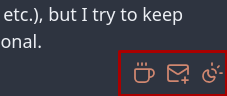
Table of Contents
How to {topic}
Describe each step with screenshots, using language aimed at a new user of Obsidian and the digital garden plugin. Explain why a Step needs to be taken, where appropriate.
Step 1. Create the theme-switcher.njk
Create a new file named theme-switcher.njk in src/site/_includes/components/user/common/footer. Then open the file and paste in the following script, adjusting the links and email address as appropriate for you.
<aside id="floating-control">
{# Ko-Fi/BuyMeACoffee Link #}
  <a
    id="coffee-link"
    href="https://ko-fi.com/yourlink"
    target="_blank"
    rel="noopener noreferrer"
    title="Buy me a coffee- thank you!"
  >
    <i icon-name="coffee" aria-hidden="true"></i>
  </a>
{# Email Me Link #}
  <a
    id="emailme"
    href="#"
  >
    <i icon-name="mail-plus" title="Discuss" aria-hidden="true"></i>
  </a>
{# Theme Switching Link #}
  <span id="theme-switch">
    <i class="svg-icon light" icon-name="sun" aria-hidden="true"></i>
    <i class="svg-icon dark" icon-name="moon" aria-hidden="true"></i>
    <i class="svg-icon auto" icon-name="sun-moon" aria-hidden="true"></i>
  </span>
</aside>

<script defer>

{#
This is a ton of functions to detect and set the theme automatically.
You should not make any changes to this section unless you know what you're doing.
#}

  function setThemeIcon(theme) {
    let toAdd, toRemove;
    switch (theme) {
      case 'dark':
        toRemove = ['auto', 'light'];
        break;
      case 'light':
        toRemove = ['dark', 'auto'];
        break;
      default:
        toRemove = ['light', 'dark'];
        break;
    }
    const sw = document.getElementById('theme-switch');
    sw.classList.add(theme);
    sw.classList.remove(...toRemove);
  }

  function setTheme(theme, setIcon) {
    if (setIcon) setThemeIcon(theme);

    if (theme === 'dark') {
      document.body.classList.remove('theme-light');
      document.body.classList.add('theme-dark');
    } else if (theme === 'light') {
      document.body.classList.add('theme-light');
      document.body.classList.remove('theme-dark');
    } else {
      theme = (window.matchMedia && window.matchMedia('(prefers-color-scheme: dark)').matches)
        ? 'dark'
        : 'light';
      setTheme(theme, false);
    }
  }

  let theme = window.localStorage.getItem('site-theme') || 'auto';
  setTheme(theme, true);
  window.theme = theme;
  window.localStorage.setItem('site-theme', theme);

  window.matchMedia('(prefers-color-scheme: dark)')
    .addEventListener('change', () => {
      const settings = window.localStorage.getItem('site-theme');
      if (!settings || settings === 'auto') {
        window.localStorage.setItem('site-theme', 'auto');
        setTheme('auto', true);
      }
    });

  document.getElementById('theme-switch')
    .addEventListener('click', () => {
      let next;
      if (window.theme === 'auto')      next = 'dark';
      else if (window.theme === 'dark') next = 'light';
      else                              next = 'auto';

      setTheme(next, true);
      window.localStorage.setItem('site-theme', next);
      window.theme = next;
    });

{#
This waits for the DOM, then override the mailto link with your email, and automatically sets the subject to include the page title and the body to include the page URL.
#}

  document.addEventListener('DOMContentLoaded', () => {
    const emailLink = document.getElementById('emailme');
    if (!emailLink) return;
    emailLink.href =
      `mailto:your@email.com` +
      `?subject=Regarding%20${encodeURIComponent(document.title)}` +
      `&body=Discussing%20${encodeURIComponent(window.location.href)}`;
  });
</script>
Step 2. Append custom-style.scss
Add the following to the end of the file custom-style.scss found in src/site/styles.
/* Floating theme switcher */
#floating-control {
  position: fixed;
  color: var(--link-color);
  bottom: 1vmax;
  right: 1vmax;
  font-size: 24px;
  z-index: 999999;
  display: flex;
  flex-direction: row;
  justify-content: flex-end;
  gap: 10px;

  .svg-icon,
  i {
      cursor: pointer;
      height: 24px;
      width: auto;
  }

  #theme-switch {
      .light {
          display: none;
      }

      .dark {
          display: none;
      }

      .auto {
          display: none;
      }
  }

  #theme-switch.light {
      .light {
          display: inline;
      }
  }

  #theme-switch.dark {
      .dark {
          display: inline;
      }
  }

  #theme-switch.auto {
      .auto {
          display: inline;
      }
  }
}
Related
- Paolo Gabriel - website stack
- Original guide for creating the theme switcher.